WATCH VIDEO
Download Data Sheet

Nectari for Acumatica is an intuitive Business Intelligence solution, which is fully integrated with Acumatica to help business reduce time spent on analysis and reporting and make faster, better-informed decisions across the enterprise. Nectari provides executives, business users and managers, at all levels in the organisation, with an easy to use HTML 5 compliant solution to access and analyse enterprise data.
Nectari is pre-packaged with many out-of-the-box dashboards, reports and views which are simple to customise. Executives business users and managers are thus empowered from day one with pre-built self-service analytics and can access and analyse enterprise data in an intuitive self-sufficient manner to improve visibility into their business, accelerate notification of important changes and reduce time to decision.
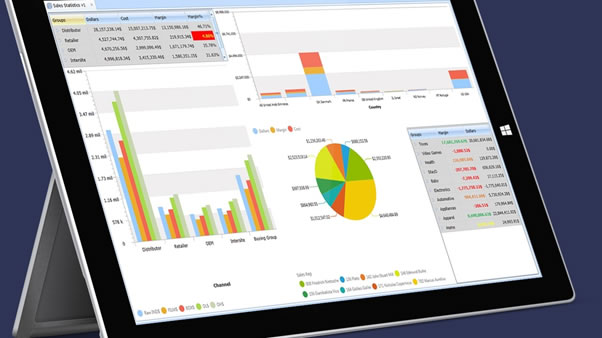
The tight and secure integration of Nectari with Acumatica ensures the reliability of critical business information by providing real-time, single-version-of-the-truth insight to critical information.
Nectari is HTML 5 compliant and eliminates the need for disparate tools and specialized skills and reduces time to decision by providing an instant diagnostic and the power to analyse data it in a variety of ways to view the data that’s most meaningful to one’s role in the organization. Drill-up / drill-down functionality to transactional detail is standard, allowing detailed analysis of all data affecting bottom-line and data can be modularly sliced and diced through a host of key analytical features and functions:
- - Filtering and grouping
- - Sorting and ranking
- - Queries and formulas
- - Geospatial analysis
- - Exceptions and alerts
- - Dashboarding and KPIs
- - Dynamic data visualization (e.g. charts, gauges, maps)
- - Big data, OLAP processing
- - Export capabilities into standard word processing or spreadsheet applications
All Nectari data (including worksheets, charts, gauges, maps, and dashboards) can be exported to different file formats (including standard word processing and spreadsheet packages and popular pdf, html and xml formats) for more detailed data manipulation.
Additionally, because Acumatica understands that Microsoft Excel may already be a tool-of-choice for many business and finance users, Nectari also includes a secure, real-time add-in for Excel. The Nectari add-in for Excel is an innovative solution, which has been developed to provide Excel users with a dynamic and powerful means of accessing real-time information securely and directly from within Excel.
It integrates into Microsoft Excel’s user interface, can be used with new and existing Excel worksheets, and enables Excel users to:
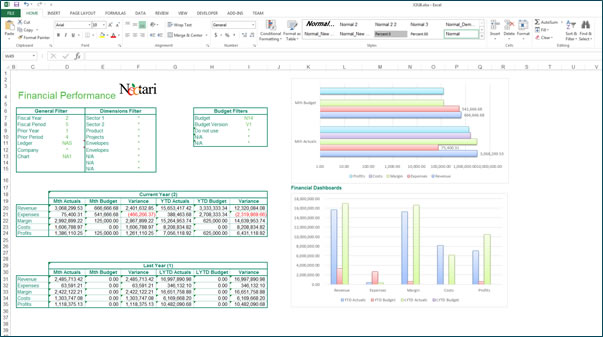
- - Access enterprise data securely in real-time or take advantage of our sophisticated shared caching system to further increase performance when accessing data that is updated on a fixed schedule.
- - Create flexible ad-hoc reports by combining data from different disciplines of the enterprise into a single worksheet.
- - Eliminate the need to manually update worksheets with the latest enterprise data.
- - Summarize data using the Sum, Count, Average, Minimum, Maximum, or List operations.
- - Set parameters on dimensions to help filter the data used within formula calculations.
- - Automatically extract dimensional data from Nectari processes to list in a column or row for fast report creation.
- - Access Nectari prompts defined on process fields within Nectari to help make accurate and quick selections of dimension data.
- - Easily share files with others.
- - Have all the security of Nectari built into your Excel worksheets.
- - Edit data and push it back to the database, for example, allowing to manage a budget within Excel.